TikTok LIVE Leaderboards
TikTok LIVE leaderboards rank your viewers by what they contribute — coins gifted, likes tapped, shares sent — and update the order on screen the moment the numbers change. A visible ranking gives viewers something to compete for.
Joined by 40,000+ creators Last updated
What is a TikTok LIVE leaderboard?
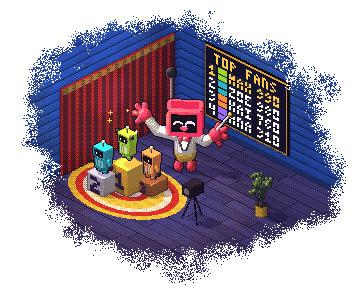
A TikTok LIVE leaderboard is an overlay that ranks viewers by their contribution during your stream and redraws itself in real time. Most commonly it ranks top gifters by coin value, but the same overlay can rank top likers, top sharers, or a points total that combines several actions.
Ranking works off the live event feed rather than anything you type in. When a gift lands, its coin value is added to that viewer's total, the list re-sorts, and if someone changes position the overlay animates the swap. A viewer sitting at number two can watch themselves get passed and decide to send another gift — that moment is the whole mechanic.
The scoring window matters as much as the ranking itself. A session leaderboard resets when you go live, so every stream is a fresh race and newcomers can realistically reach the top. An all-time leaderboard never resets, which rewards long-term regulars but can discourage new viewers who see an unreachable number one. A good split is a per-stream leaderboard on screen and the all-time list for a Discord post or a monthly shout-out.
Types of TikTok LIVE leaderboard
Each is its own browser source, so you can run more than one — a gifter ranking beside a liker ranking works well.
Top Gifter Leaderboard
Ranks viewers by the coins they have gifted. This is the default ranking.
Top Liker Leaderboard
Ranks by likes tapped. Useful early in a stream when you want engagement before you ask for gifts.
Top Sharer Leaderboard
Ranks by shares. Shares pull new viewers into the room, so rewarding them compounds your reach.
Single Top Gifter Card
One name and avatar instead of a list. Fits layouts where a full leaderboard would crowd the frame.
Top Streak Card
Shows the viewer with the biggest gift streak, so a run of small gifts can take the spot.
Auction & Coin Match
A leaderboard framed as a competition with a prize, where the top spot at the buzzer wins something.
Battle Score
Your TikTok LIVE battle score against your opponent, plus your wins and losses when you rematch.
Throne King
A gift worth your minimum bid takes the throne and restarts the clock. One visible slot instead of a list.
Themes, screenshots and per-theme settings live on the leaderboard overlay page.
How to add a leaderboard to your TikTok LIVE
The leaderboard is a browser source like any other overlay. Nothing to install.
Connect your TikTok username
Sign up free and connect the account you go live with, so the leaderboard receives your gift and like events.
Choose what to rank
Pick gifters, likers, sharers, engagers or viewer points, and set how many places to show. Three to five fits most layouts.
Choose when it resets
Reset each new stream for a fresh race every time you go live, or turn it off for an all-time board that keeps counting across streams.
Copy the browser source URL
Copy the leaderboard's URL from the dashboard.
Add it in OBS and go live
Add a Browser Source in OBS, or a Link source in TikTok LIVE Studio, and paste the URL. The ranking populates as soon as the first gift lands.
The same steps apply to every overlay — see the TikTok LIVE overlays guide for the full picture.
What a good leaderboard needs
Getting the ranking right is the easy part. These are the details that matter on stream:
- Re-sorts instantly, not on a polling delay
- Animates position swaps so viewers notice being passed
- Shows avatars, not just usernames
- Readable at 1080p after TikTok's compression
- Per-stream or all-time totals
- Survives a reconnect without losing totals
BetterTok leaderboards update straight off the live event stream, so a gift lands and the order changes in the same beat. Totals persist through a browser-source refresh, and every theme is built to stay legible once TikTok has re-encoded your video.
TikTok LIVE Leaderboards: FAQ
What is a TikTok LIVE leaderboard?
A TikTok LIVE leaderboard is an overlay that ranks your viewers in real time by what they contribute during the stream — usually coins gifted, but it can also rank likes, shares or a combined points score. It re-sorts on screen the moment the numbers change, so viewers can see themselves move up or get passed.
How do I add a leaderboard to my TikTok LIVE?
Connect your TikTok username in BetterTok, choose what to rank and how many places to show, then copy the leaderboard's browser source URL into OBS, Streamlabs or TikTok LIVE Studio. It starts filling in as soon as the first gift or like arrives.
Can the leaderboard reset every stream?
Yes. Reset each new stream is a setting: with it on, every stream starts a fresh race; with it off, the board keeps counting across streams as an all-time ranking. A fresh race each stream means new viewers can realistically reach the top spot.
Can I show a leaderboard of likes instead of gifts?
Yes. The leaderboard can rank top likers, top sharers or top gifters, and you can run more than one at a time as separate browser sources. Ranking by likes is useful early in a stream when you want engagement before asking for gifts.
Are TikTok LIVE leaderboards free?
Yes, in three themes: Classic, Rank Pills and Roster are on the free plan, with no watermark and no credit card. The Creator plan ($9.99 a month) unlocks the other 22 themes.
Does the leaderboard lose totals if my browser source refreshes?
No. Totals are held server-side against your session, so refreshing the browser source in OBS or restarting your streaming software re-draws the leaderboard with the running totals intact.
How many places should a leaderboard show?
Three to five works best on a vertical TikTok layout. More than five and the text gets small enough that TikTok's compression makes it hard to read, and the lower places stop feeling worth competing for.
Keep building your stream
Put a live ranking on your stream
Free to start, works with OBS, Streamlabs and TikTok LIVE Studio, and ranks your top gifters from the first gift onward.