Live Auction Overlay Themes
Turn Your Stream Into a Live Auction
Live Auction overlays run a gift auction on your TikTok LIVE. Viewers bid by sending gifts, the overlay ranks the top three bidders by coin total in real time, and whoever is on top when the timer stops wins.
14 themes OBS & LIVE Studio Creator plan, $9.99 a month Joined by 40,000+ creators
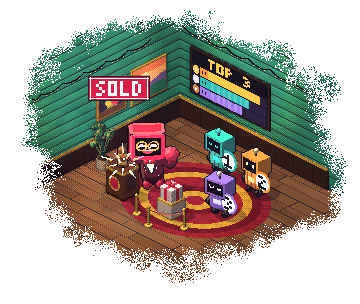
How the live auction overlay works
With 14 themes, from a blocky Roblox-style design to neon, you can match the auction to your stream's look.
14 TikTok Live Auction themes
Compete for the top spot with real-time leaderboards. Every theme is yours to recolour. Previews of 13 are below; all 14 are in the dashboard.
Roblox
Blocky gaming style
Default
Clean, professional leaderboard
Podium
Olympic-style podium layout
Neon
Cyberpunk neon glow
Battle
Gaming HUD style
Prism
Modern glassmorphism
Liquid
Smooth liquid animations
Retro
8-bit pixel art arcade
Aurora
Northern lights glow
Minimal
Clean minimalist design
Anime
Manga-style speed lines
Galaxy
Cosmic space theme
Gold Rush
Luxury high-roller VIP
New to this? Read our guide to TikTok LIVE Auction Overlay. Step by step: How to Run a TikTok LIVE Auction with Gifts.
What the live auction overlay does
Real-Time Rankings
The top three bidders and their coin totals update as each gift lands, so everyone can see who is winning.
Competitive Gifting
Viewers see who's in the lead and how far behind they are, which gives them a reason to send one more gift.
Snipe Protection
When the timer runs out, the auction gets extra time, so nobody wins with a gift at the buzzer.
Viewer Engagement
Transform passive viewers into active participants. The auction format gives everyone a reason to engage with your stream.
Who uses the live auction overlay
- Gift competitions during live streams
- Gaming streams with Roblox-style aesthetics
- Selling or giving away one item at a time
- Events and special live stream occasions
How to add the live auction overlay
Pick your theme
Browse 14 live auction themes and choose the one that matches your stream.
Copy your link
Log in and copy your overlay's link from the BetterTok dashboard. Change the colours and settings there whenever you like.
Paste it and go LIVE
Add the link as a Browser Source in OBS, Streamlabs or TikTok LIVE Studio, then start streaming.
Live Auction overlay: FAQ
What do the live auction themes look like?
There are 14 auction themes, from a blocky Roblox-style design to neon. Each one shows the top three bidders and their coin totals, and updates the moment a gift lands.
How does the Live Auction increase gift revenue?
The auction creates visible competition between viewers. When someone sees another viewer in the #1 spot, they're motivated to gift more to overtake them. That race is what gets more gifts sent during a stream.
What is the Roblox auction theme?
The Roblox theme is an auction design with a blocky, game-inspired look in the style of Roblox, made for gaming streams.
Can I use the auction overlay with OBS?
Yes! Simply copy your overlay URL from the BetterTok dashboard, add a Browser Source in OBS, paste the URL, and set your dimensions. The overlay works with OBS, Streamlabs, TikTok LIVE Studio and any software that supports browser sources.
How many bidders does the auction show?
The top three bidders and their coin totals while the auction runs, and the winner when the clock stops.
What is snipe protection?
It is on by default: when the timer runs out, the auction runs 30 more seconds, once, so a gift at the buzzer can still be answered. You can set the extra time from 10 to 120 seconds and allow up to 10 extensions in the auction settings.
Is the Live Auction overlay free?
No. Live auctions are part of the Creator plan ($9.99/month), which includes all 14 auction themes. Your BetterTok account itself is free.
Goes well with these overlays
Put it on your next LIVE
Pick a theme, copy one link, paste it into your streaming app. No coding and no downloads.