TikTok Wheel of Actions
The Wheel of Actions spins when a viewer sends a gift, and whatever it lands on happens. You write the segments — a dare, a song, a voice change, a scene swap — and the gift buys the spin. It converts a gift from a thank-you into a purchase with an outcome, which is a much easier thing to ask for.
Joined by 40,000+ creators Last updated
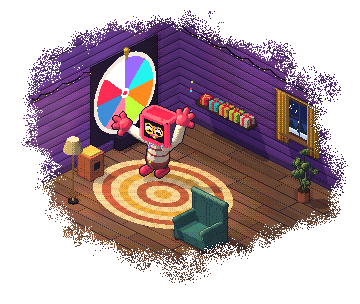
What is the Wheel of Actions?
The Wheel of Actions is an overlay showing a spinning wheel divided into segments you define. A gift triggers a spin, the wheel lands on a segment, and that segment fires an action on your stream — anything from a sound effect to an OBS scene change to a dare you have to do on camera.
It differs from a plain spin-the-wheel graphic in that the result is wired to something. The wheel does not just display a word; it triggers the action attached to that segment. That connection is what makes viewers believe the outcome is real rather than you reading off a picture and choosing what to honour.
The mechanic works because of variance. A leaderboard rewards the biggest gifter, which is a race most viewers know they cannot win. A wheel gives everyone who spins the same shot at the best outcome, so a small gift is worth sending. It is a good format for pulling in the long tail of an audience rather than the top three spenders.
What a segment can do
Segments fire the same actions as the rest of the Actions & Events engine, so a spin can trigger anything you have already set up.
Play a Sound
The simplest segment. An airhorn, a clip, a sting — instant, unambiguous feedback.
Change an OBS Scene
Swap scene or toggle a source, so the wheel can visibly rearrange your stream layout.
Speak Something
Have the result read aloud, or make the segment itself a spoken message from the spinner.
Move a Goal
A segment that adds to a goal bar or extends a subathon timer, so a spin can change the stream's stakes.
Fire a Dare
Display a challenge on screen that you then have to do. The segment everyone actually wants to hit.
Trigger a Webhook
Fire an outbound webhook so a spin can drive lights, a game, or anything else you have wired up.
Ten wheel themes ship with it: Classic, Neon Cyber, Royal Gold, Minimal Mono, Candy Pop, Dark Arcade, Aurora Glass, Retro Pixel, Sunset Gradient and Emerald Luxe. The wheel is one of the TikTok LIVE games you can run.
How to set up a gift-triggered wheel
Build the wheel once, then leave it running all stream.
Connect your TikTok username
Sign up free and connect the account you go live with, so the wheel receives your gift events.
Write your segments
Add each outcome and attach an action to it — a sound, a scene change, a spoken line, a dare on screen. Start with six to eight segments.
Choose what spins it
A specific gift, any gift above a coin value, a follow, a share and more. You can also let viewers spend their points on a spin with a chat command like !spin.
Balance the odds
Every slice is equally likely, so give a common outcome several slices and the best one a single slice. Keep the best outcome rare enough to be worth chasing but common enough that people believe it lands.
Add the overlay and go live
Paste the wheel URL into OBS as a Browser Source, or a Link source in TikTok LIVE Studio. The next qualifying gift spins it.
Button by button: how to add a spin wheel on TikTok LIVE. Segment actions come from the Actions & Events engine, so anything you can trigger there can be a wheel outcome.
Building a wheel people want to spin
A wheel that nobody spins twice usually got one of these wrong:
- Six to eight segments — more and nobody can read it
- No dead segments; every outcome does something
- The best outcome rare but visibly reachable
- A spin price low enough for casual viewers
- Results honoured on camera, every time
- Segments rotated between streams so it stays fresh
The one that actually kills a wheel is a "nothing happens" segment. A viewer who paid for a spin and got nothing does not spin again. Make the worst outcome small rather than empty — and if you want the higher-stakes version where gifts buy entries into a single draw, that is Spin Royale.
TikTok Wheel of Actions: FAQ
What is the TikTok Wheel of Actions?
The Wheel of Actions is a TikTok LIVE overlay showing a spinning wheel with segments you define. A viewer's gift triggers a spin, and whatever the wheel lands on fires a real action on your stream — a sound, an OBS scene change, a spoken message, or a dare displayed on screen.
How do I add a spin wheel to TikTok LIVE?
Connect your TikTok username in BetterTok, write your segments and attach an action to each, choose what spins it (a gift, a coin value, a follow and more), then add the wheel overlay URL to OBS as a Browser Source or TikTok LIVE Studio as a Link source.
Can I control the odds of each segment?
Yes, by how many slices you give it. Every slice is equally likely, so an outcome on three slices comes up three times as often as one on a single slice. Keep the best result reachable enough that viewers believe it lands, or they stop spinning.
What can a wheel segment actually do?
Segments use the same Actions & Events engine as the rest of BetterTok, so a spin can play a sound, change an OBS scene or source, trigger text-to-speech, move a goal bar, extend a timer, display a dare, or fire an outbound webhook to whatever else you have wired up.
How many wheel themes are there?
Ten: aurora glass, candy pop, classic, dark arcade, emerald luxe, minimal mono, neon cyber, retro pixel, royal gold and sunset gradient.
What is the difference between the Wheel of Actions and Spin Royale?
The Wheel of Actions spins for each qualifying gift and fires that segment's action. Spin Royale collects entries first (a gift worth your minimum bid buys one), then spins to pick a single winner, or knocks players out round by round until one is left. Use the wheel for constant small interactions and Spin Royale for a bigger payoff.
Is the wheel overlay free?
No. The Wheel of Actions is part of the Creator plan ($9.99 a month or $99.99 a year), which includes all 10 wheel themes. Your BetterTok account itself is free.
Let gifts decide what happens next
Write your segments, link each one to an action, and let every gift spin the wheel. 10 themes for OBS and TikTok LIVE Studio, on the Creator plan.