TikTok LIVE Poll Overlay
TikTok has its own LIVE poll, and for a quick question it may be all you need. This overlay adds the rest: viewers vote by typing a word in chat, the bars race in your scene in the theme you pick, and you can run predictions with points.
Joined by 40,000+ creators Last updated
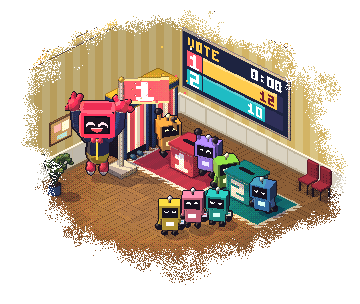
Does TikTok LIVE have a poll, and what does an overlay add?
Yes, TikTok has one. LIVE Studio lists it in its Interaction toolkit as Poll & Gift vote. Try it first if you only want a quick vote.
A TikTok LIVE poll overlay is a different thing: a source in your own scene. It works the same in OBS, Streamlabs and LIVE Studio, so it answers the question of how to put a poll on TikTok LIVE from OBS. You paste one link, open the poll from your dashboard, and the results sit on your video in a design you chose.
In your dashboard it is called Predictions, because it does two jobs. A Free poll counts one vote per viewer. A Points prediction lets viewers stake points from your points system, and those who backed the winning outcome share the pot.
What you can run
One poll or prediction at a time, and every source you have open shows the same one.
Free poll
Viewers type a keyword once. Only that word counts, so normal chat never turns into a vote.
Points prediction
Viewers type a keyword and an amount. You set the minimum and maximum, and winners share the pot by stake.
Two to four outcomes
Each one gets a label, a colour and its own chat keyword. Leave the keyword alone and it is just 1, 2, 3 or 4.
A timer you pick
1, 2 or 5 minutes, or anything from 15 seconds to 24 hours. Voting locks by itself when it runs out.
Lock, resolve or cancel
Lock voting early, then declare the winner. Cancelling a Points prediction refunds every stake.
Set off your other effects
Prediction Opened and Prediction Resolved are triggers in Actions & Events, so a result can play a sound or speak a line.
Ten themes: Classic, Neon, Galaxy, Fire, Ice, Gold, Emerald, Retro, Minimal and Broadcast. Want viewers to play instead of vote? See TikTok LIVE games.
How to put a poll on TikTok LIVE in OBS
Add the link once. After that, opening a new poll takes a few seconds.
Open Predictions
Sign in, connect the TikTok account you go live with, and open the Predictions overlay. Pick a theme and try it in the preview.
Add the link to your scene first
Press Copy live link and add it as a Browser source in OBS or a Link source in LIVE Studio. Open prediction stays off until the overlay is loaded.
Write the question
Under Run a prediction, write your question and two to four outcomes. Change the keywords if you want words instead of numbers.
Choose the mode and the time
Pick Free poll or Points, then set how long voting stays open. Points needs your points system turned on first.
Press Open prediction
Tell chat what to type. The bars, the percentages and the number of participants move as votes land.
Resolve it
Lock voting if you want to close it early. Then press Resolve and declare the winning outcome.
New to overlays? Start with the OBS overlay setup guide.
Get more people to vote
The overlay is quick to set up. These decide how many people join in:
- Ask something you can settle during this LIVE
- Use keywords people can type fast: 1, 2, yes, no
- Say the keywords out loud when you open it
- Keep voting short, so chat stays in the moment
- Show the result before you act on it
- Run your next question while people are still talking
You choose what shows: the timer, the pot, participants, percentages and top winners each have a switch, and the card can hide itself after the result.
Points are not money
Points mode uses your own points system. A viewer can only stake points they already hold, and a stake on one outcome stays on that outcome. If nobody backed the winner, every stake goes back.
A Free poll costs viewers nothing at all. It is one chat message, and the first valid one counts.
TikTok LIVE Poll Overlay: FAQ
Does TikTok LIVE have a built-in poll?
Yes. TikTok has its own poll, which LIVE Studio lists as Poll & Gift vote. An overlay is for when you want viewers voting by chat keyword, your own theme in the scene, or predictions with points.
How do I put a poll on TikTok LIVE in OBS?
Copy the Predictions overlay's link in BetterTok and add it to OBS as a Browser source. Then write your question in the dashboard and press Open prediction. Viewers vote in your TikTok chat.
How do viewers vote in the poll overlay?
They type the outcome's keyword in your LIVE chat, with or without a leading !. In a Free poll the message must be only the keyword. In Points mode it is the keyword and an amount.
Can a viewer change their vote?
No. In a Free poll the first valid vote is the one that counts. In Points mode a viewer can add to their stake on the same outcome but cannot switch to another.
What is the difference between a poll and a prediction?
A poll asks what viewers want, and each viewer gets one vote. A prediction asks what they think will happen, and viewers stake points on it. You declare the winning outcome, and those who backed it share the pot.
How long can a poll stay open?
Anything from 15 seconds to 24 hours. The dashboard has buttons for 1, 2 and 5 minutes. Voting locks by itself when the time runs out, or you can lock it early.
Is the poll overlay free?
No. Polls and predictions are part of the Creator plan ($9.99 a month or $99.99 a year). You can open the editor and try every theme in the preview first.
Let your chat decide
Polls and predictions are on the Creator plan, $9.99 a month. Try the themes in the preview, copy the link, and ask your first question.