TikTok Gift Gallery Overlay
Gift Gallery is TikTok's own feature: a set of gifts that lights up over the week as viewers send them. This overlay brings it onto your stream, with the gifts still dark, how close each one is, who lit it, and a celebration when one lights up.
Joined by 40,000+ creators Last updated
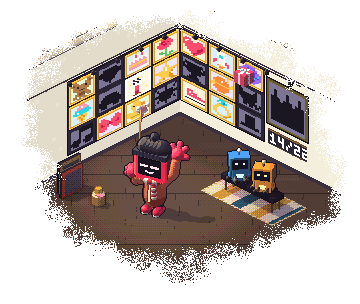
What is the TikTok Gift Gallery, and what does the overlay add?
TikTok's Gift Gallery is a set of gift tasks that changes every week. A gift lights up when one viewer sends enough of it to reach its target, and your gallery shows who supported you. It belongs to TikTok and works without BetterTok.
A TikTok Gift Gallery overlay shows that gallery on your stream. It reads your gallery and cycles through the gifts you have not lit yet, with the gift, its progress and your lit total. When one lights up, it stops, celebrates and names who did it.
It also counts for itself. TikTok marks a gift lit on its own schedule, so the overlay counts the gifts you receive while you are live and lights a gift the moment one viewer reaches its target. TikTok's own gallery stays TikTok's count.
Fifteen themes, from a full card to a compact pill
Same gallery in every theme. Pick the shape that fits your scene.
Spotlight
A radial ring around one gift at a time, cycling through your gallery.
Strip
A scrolling bar with every gift and its ring at once.
Classic
A vertical card in navy with a cool glow.
Minimal
A compact pill with the gift, the count and a label, and nothing else.
Eleven more looks
Neon, Galaxy, Fire, Ice, Golden, Emerald, Retro, Anime, Haunted, Christmas and Liquid, each with its own shape.
Want to show gifts as they land instead? See the TikTok gift overlay guide, or the TikTok gift campaign bar for campaigns.
How to put your Gift Gallery on stream
A few minutes once, and then it follows your gallery by itself.
Connect your TikTok username
Sign in and connect the account you go live with, so the overlay can read your gallery.
Open Gift Gallery
Go to Overlays, then Gift Gallery. Click through the themes and watch each one in the preview.
Choose what it shows
Set the seconds per gift and the order. Turn the progress bar, coins to light and your league on or off.
Copy the link
Press Copy live link. Add it as a Browser source in OBS or a Link source in LIVE Studio, then size and drag it.
Test it
Fire test runs a sample gallery through the real overlay, so you can check it in OBS. Stop test brings your real gallery back.
Same process for every overlay: the TikTok LIVE overlays guide.
What you can show and change
All of it is a switch or a box in the editor:
- Seconds per gift, from 2 to 30
- Order: closest to lit, cheapest, by price or random
- Your lit total and a progress bar
- The coins each gift needs to light
- Your league
- Who lit each gift, by public name and photo
- Lit gifts in the rotation, playing their animation muted
- A celebration from 2 to 20 seconds
- Your own title, colours and line of text
Let the overlay do the asking
A gallery on screen shows viewers what is left without you saying a word. The line under each gift is yours to rewrite or turn off, and that matters: TikTok's LIVE Monetization Guidelines treat attempts to manipulate engagement or monetization features as ineligible. Keep the words about the gallery, and let the people who want to send a gift decide for themselves.
TikTok Gift Gallery Overlay: FAQ
Does TikTok have its own Gift Gallery?
Yes. Gift Gallery is a TikTok feature, with gift tasks that change every week. It works without BetterTok. The overlay is what puts your gallery on your stream.
What does a Gift Gallery overlay show?
The gifts you have not lit yet, one at a time or all at once depending on the theme, with progress toward each and your lit total. It can also show who lit each gift and celebrate as one lights up.
How does a gift light up on the overlay?
When one viewer reaches that gift's target. Different viewers never add up, because the gallery counts one viewer at a time. Viewers who hide their identity are not counted or named.
Why does the overlay light a gift before TikTok does?
TikTok marks a gift lit on its own schedule. The overlay counts gifts as they land while you are live, so it can light a gift first. It never changes what TikTok shows in your gallery.
When does the Gift Gallery overlay reset?
With TikTok's gallery period, which is weekly. A new period starts fresh, and the overlay picks up the new gifts by itself.
Is the Gift Gallery overlay free?
No. Copying its link from the web dashboard needs the Creator plan ($9.99 a month or $99.99 a year). You can open the editor and try the themes in the preview first.
Put your Gift Gallery on stream
On the Creator plan, $9.99 a month. Try the 15 themes in the preview, copy the link, and let it follow your gallery all week.