TikTok Song Request Overlay
Viewer Song Requests on a Live Queue Overlay
Song Requests let your TikTok Live viewers queue music in the BetterTok desktop app, from Spotify Premium or the Apple Music app on Windows. Viewers type !play and a song name in your chat (the command name is yours to change), the song joins your queue, and the overlay shows what is playing and what is up next.
11 themes OBS & LIVE Studio Free to start Joined by 40,000+ creators
How the song requests overlay works
You decide who can request, what a request or a skip costs in points, and how long the queue can get. 11 themes ship: Classic, Ambient Art, Cassette Tape, Vinyl Sleeve, Liquid Glass, Clean Player, Speaker Pulse, Boombox, Sheet Music, Record Crate and Arcade Marquee.
11 TikTok Song Requests themes
Your song-request queue and now-playing card from Spotify or Apple Music, in the desktop app — 11 themes. Every theme is yours to recolour.
Arcade Marquee
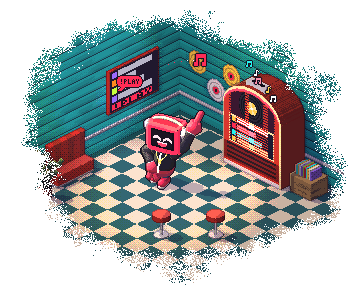
Retro arcade marquee scrolls the queue
Boombox
80s boombox display with EQ bars
Cassette Tape
Cassette-tape spool with track titles
Classic
Spotify-style now-playing card with live progress
Liquid Glass
Apple-style frosted-glass cards with album-art tint
Record Crate
Crate of vinyl records flips through tracks
Sheet Music
Animated sheet-music staff
Speaker Pulse
Pulsing speakers framing the now-playing card
Clean Player
A tidy player with large album art and the queue below
Vinyl Sleeve
12-inch sleeve with rotating vinyl peeking out
Ambient Art
Blurred album art fills the background behind the now-playing card
New to this? Read our guide to TikTok LIVE Overlays.
What the song requests overlay does
Spotify or Apple Music
Connect Spotify Premium, or the Apple Music app on Windows, in the BetterTok desktop app. Viewers request with !play in your chat, and the overlay shows the song playing now and the queue.
Choose Who Can Request
Open requests to everyone, or limit them to moderators, Super Fans and subscribers, or team members above a level you set. Always allow or never allow specific viewers.
Points Costs and Limits
Charge points for a request or a skip, cap how many songs each viewer can queue, set a maximum queue length, and block explicit songs.
11 Themes from Cassette to Clean Player
Cassette Tape, Boombox and Record Crate for nostalgic streams; Vinyl Sleeve and Sheet Music for chill streams; Liquid Glass and Clean Player for a modern look; Speaker Pulse and Arcade Marquee for hype.
Who uses the song requests overlay
- Music / DJ streams where viewers drive the playlist
- Cozy / chill streams using viewer-requested lo-fi or chill tracks
- Reaction streams where viewers request songs for live reaction
- Points-system streams where a song request is a reward
How to add the song requests overlay
Pick your theme
Browse 11 song requests themes and choose the one that matches your stream.
Copy your link
Log in and copy your overlay's link from the BetterTok dashboard. Change the colours and settings there whenever you like.
Paste it and go LIVE
Add the link as a Browser Source in OBS, Streamlabs or TikTok LIVE Studio, then start streaming.
Song Requests overlay: FAQ
How do TikTok song requests work with BetterTok?
Song requests run in the BetterTok desktop app. Connect Spotify Premium there, or use the Apple Music app on Windows. Viewers then type !play and a song name in your TikTok LIVE chat. The song joins your queue and plays in order, and the Song Requests overlay shows what is playing and what is up next.
Can I restrict who can request songs?
Yes. Allow everyone, or only moderators, Super Fans and subscribers, or team members above a minimum level. You can also always allow or never allow specific viewers, and let moderators or Super Fans request for free.
Which Song Requests theme should I pick?
Boombox and Cassette Tape for retro streams; Record Crate and Vinyl Sleeve for DJ and chill streams; Sheet Music for calm streams; Liquid Glass, Clean Player and Ambient Art for a modern look; Speaker Pulse and Arcade Marquee for high-energy streams.
Can a request cost points?
Yes. Set a points cost per request and per skip, so viewers spend points they earned on your stream to pick the next song.
Can I block explicit songs or stop one viewer filling the queue?
Yes. Turn off Allow explicit songs, set how many songs each viewer can have in the queue, and set a maximum queue length. You can also skip or remove any song yourself.
Is the Song Requests overlay free?
Yes. Song requests work on the free plan with the Classic and Cassette Tape overlay themes. The Creator plan ($9.99/month) unlocks all 11 themes. Song requests run in the BetterTok desktop app.
Goes well with these overlays
Last Gifter
Thank your most recent gifter with a personalized alert — 13 themes. 13 themes.
Live Auction
Compete for the top spot with real-time leaderboards. 14 themes.
Gift Overlays
Top gifter and gift streak cards — show who is leading and how hot the streak is — 11 themes each. 12 themes.
Top Gifter Entrance
VIP entrance animation when a viewer with a high TikTok gifter level joins your LIVE — 10 themes. 10 themes.
Put it on your next LIVE
Pick a theme, copy one link, paste it into your streaming app. No coding and no downloads.