TikTok LIVE Viewer Count Overlay
OBS can't show your TikTok viewer count by itself, so you need a third-party overlay. This one is a link. Copy it, paste it into OBS or TikTok LIVE Studio, and your viewers, likes, new followers and gift totals count themselves on stream.
Joined by 40,000+ creators Last updated
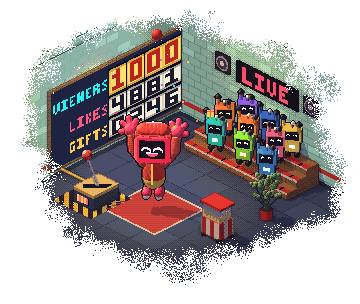
How do you show a TikTok viewer count on OBS?
You add a third-party overlay. A TikTok LIVE viewer count overlay is a small web page in your scene that shows how many people are watching, and the number moves by itself. OBS has no TikTok counter built in, and the widgets in TikTok LIVE Studio cover alerts, chat, goals, viewer rankings and a countdown, with no viewer count among them.
BetterTok connects to your LIVE through your TikTok username and gives you a link. Paste it into OBS or Streamlabs as a Browser source, or into TikTok LIVE Studio as a Link source. There is no plugin to install and nothing to update by hand while you stream.
You get more than viewers. The same family counts likes, comments, shares, new followers and gifts. Show them all in one strip, one at a time in a carousel, or as separate tiles you place anywhere on screen.
Eight counters, each with its own link
Each one is a separate overlay, so a bar along the bottom and a viewer tile in the corner can run together.
Viewers
Your live viewer count. Turn on Show peak and it reads 342 / 511: now, against your highest.
Likes
Counted from when the overlay connects, so it shows this LIVE and not the room's lifetime total.
New Followers
The followers you gained since you went live, not your total follower count.
Gifts
How many gifts landed this LIVE. Turn on Show diamonds to put the diamond total beside it.
Comments
A running comment count for this LIVE, in a tile of its own.
Shares
How many times viewers shared this LIVE.
Stats Bar
Every stat on screen at once, in one always-on strip. It shrinks to fit your screen.
Stats Carousel
One stat at a time, cycling, for the spots a full bar won't fit. You set the speed.
Want a target on top of the number? Set up TikTok LIVE goals. Want names beside the totals? See TikTok LIVE leaderboards.
How to add a viewer counter to your stream
Five steps, and nothing to install.
Connect your TikTok username
Sign up free and connect the account you go live with, so the counters receive your LIVE.
Open Stats
In your dashboard, go to Overlays and open Stats. You get eight cards: the Bar, the Carousel and one for each stat.
Make it yours
Press Edit to rename a stat, change its icon and pick what it shows. Classic is the free theme. Show peak and Show diamonds are one tick each.
Copy the link
Press Copy link on the card, or Copy live link inside the editor.
Add it and go live
Add a Browser source in OBS or Streamlabs, or a Link source in TikTok LIVE Studio, and paste the link. Size and drag the source to where you want it. The numbers move as soon as your LIVE does.
Same process for every overlay: how to add overlays to TikTok LIVE Studio and the OBS overlay setup guide.
Set it up the way you stream
All of this is a setting in the editor, and none of it changes the link you pasted.
- Rename any stat and change its icon
- Drag stats into the order you want, or hide one
- Compact numbers (12.3K) or full ones (12,345)
- Run a bar sideways or upright
- Pick a screen position, nudge it and set its size
- Hide the overlay while there is nothing to show
- Copy one counter's design to the other seven
- Press Reset stats to zero the numbers mid-LIVE
Classic is free on all eight counters. The other 9 themes, from Neon Cyber and Gold to Pixel and Aurora, are on the Creator plan at $9.99 a month.
What each number means
Viewers is the live figure from TikTok, and the peak is the highest it has reached. Likes need more care: TikTok sends the room's lifetime total, so the overlay takes a baseline when it connects and shows what this LIVE earned. New followers is the gain since you went live. Gifts adds up every gift that lands, with the diamonds beside it if you want them.
Comments are close rather than exact, because chat is sampled on some connections. Treat that one as a guide. By default the counters start from zero when a new LIVE starts, so yesterday's numbers never open today's stream.
TikTok LIVE Viewer Count Overlay: FAQ
How do I show my TikTok viewer count on OBS?
Use a third-party overlay, because OBS has no TikTok counter of its own. In BetterTok, open Stats, copy the Viewers link, and add it to OBS as a Browser source. The number updates by itself while you are live.
Can I show the viewer count in TikTok LIVE Studio?
Yes. Add the same link as a Link source in TikTok LIVE Studio. Its built-in widgets cover alerts, chat, goals, viewer rankings and a countdown, and the viewer count overlay sits alongside them.
Is the viewer count overlay free?
Yes, in the Classic theme. All eight counters are free in Classic, with no credit card and no watermark. The other 10 themes need the Creator plan ($9.99 a month).
Can I show likes, followers and gift totals as well as viewers?
Yes. Stats has a tile for viewers, likes, comments, shares, new followers and gifts. Use the Bar to show them together, or add each tile as its own source and place them separately.
Does the follower counter show my total followers?
No. It shows the followers you gained since you went live, so viewers can watch it climb during the stream.
Why does my like counter not match the total on TikTok?
TikTok sends the room's lifetime like total. The overlay counts from a baseline taken when it connects, so it shows the likes from this LIVE instead.
Can I show my peak viewers?
Yes. Turn on Show peak on the viewers stat and it reads the current count against the highest of this LIVE, such as 342 / 511.
Put your viewer count on stream
Free in the Classic theme. Copy the link, paste it into OBS or LIVE Studio, and the numbers run themselves.