TikTok LIVE Smart Lights & Plugs
TikTok LIVE smart lights react to your stream: a gift flashes the room, a follow turns it gold, a battle win turns it green. BetterTok controls 10 light brands and 3 plug systems through its desktop app, and all but Govee work on the free plan.
Joined by 40,000+ creators Last updated
What are TikTok LIVE smart lights?
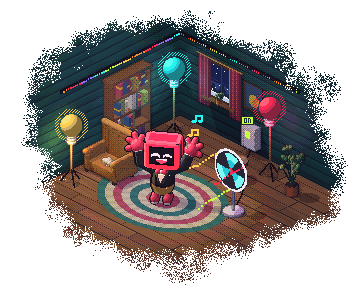
TikTok LIVE smart lights are the lights in your room, connected to what your viewers do. You write a rule in BetterTok, such as “when someone sends a Rose, flash the desk lamp pink”, and the lamp flashes when the gift lands. Viewers see it on camera, so a gift visibly changes something.
Smart plugs do the same for anything with a power cord: a fan, a lamp, a bubble machine. A plug can turn on, turn off, flip to the opposite state, or come on for a set time and switch itself off, which is how you fire a prop.
The commands travel over your home network, which a web page cannot reach. So the BetterTok desktop app has to be running while you stream, on a computer on the same network as your devices. You can build the rule on the web dashboard; it fires from the app.
What can set them off
A light or a plug is one step of an action, so anything that fires an action can fire it.
Gifts, follows and chat
Any gift, one specific gift, a gift over a coin value, a follow, a share, a like goal or a chat keyword like !lights.
Battles
A battle starting, ending, won or lost, or close to the end. Turn the room red when the clock is nearly out.
A wheel segment
Attach a light effect to a segment and let the spin decide. The wheel overlay needs the Creator plan.
A Stream Deck key
Point a Trigger Action key at the action and set the room off yourself.
How to connect smart lights to TikTok LIVE
Install the desktop app
Download the BetterTok desktop app and sign in, on a computer on the same network as your lights.
Add your device
In the desktop app, open Actions, then the Smart Devices tab, and add a device. Pick the brand, then scan your network or type its IP address. Govee has a tab of its own, Govee Lights.
Pair it if the brand asks
Philips Hue: press the link button on the bridge. Nanoleaf: hold the power button until the LED flashes. TP-Link Tapo: sign in with your TP-Link account. Home Assistant: enter your host and a long-lived access token.
Test it
Press Test on the device's card. The light should react before you build anything.
Build the action
Create an action, choose what triggers it, and add a Smart light, Smart plug or Govee reaction with the effect you want.
Every brand BetterTok controls
- Philips Hue, through the Hue bridge
- WiZ
- LIFX
- Nanoleaf
- WLED
- Govee (Creator plan)
- Yeelight
- MagicHome
- Cololight
- Twinkly
- TP-Link Tapo plugs and bulbs
- TP-Link Kasa plugs and bulbs
- Home Assistant
Home Assistant reaches whatever you already have in it: BetterTok can turn an entity on, off, toggle it or pulse it, or trigger an automation. It does not set colours through Home Assistant.
What a light and a plug can do
A light takes a colour, a brightness and one of three effects: solid, flash or pulse. You set how long it lasts and, for a flash, how many times it blinks. On WLED, WiZ and Yeelight it can then go back to the colour it had before. An action can also run a sequence of these steps instead of a single effect.
A plug can turn on, turn off, toggle, or pulse: on for the time you choose, then off again.
Govee has its own tab and its own reaction, and connects two ways: over your network once LAN Control is on for each light in the Govee Home app, or through Govee's cloud with a personal API key from Govee. It is the only brand here that needs the Creator plan.
More BetterTok integrations
BetterTok also works with a Stream Deck plugin, Voicemod, OBS control, Streamer.bot and Spotify and Apple Music song requests. Lights, Voicemod, OBS and Streamer.bot can all be steps of one Actions & Events rule, so a single gift can set off all of them.
TikTok LIVE Smart Lights: FAQ
Are TikTok LIVE smart lights free to set up?
For every brand except Govee, yes. A light or a plug is a step of an action, so a free account can use them inside its 5 Actions & Events. Govee lights need the Creator plan ($9.99 a month), which also removes the limit on actions. You bring the lights.
Do smart lights work without the BetterTok desktop app?
No. Lights and plugs are controlled over your home network, which a web page cannot reach, so the desktop app has to be running while you stream. You can still build the action on the web dashboard.
Do my smart lights need to be on the same network as my PC?
Yes, for nearly all of them, because the desktop app talks to each device directly. The exception is Govee with an API key, which can go through Govee's cloud. Home Assistant only has to be reachable from your PC at the host you enter.
Which smart light brands work with TikTok LIVE?
Philips Hue, WiZ, LIFX, Nanoleaf, WLED, Govee, Yeelight, MagicHome, Cololight and Twinkly. For plugs: TP-Link Tapo, TP-Link Kasa and Home Assistant.
Can a TikTok gift switch on a real device, like a fan or a bubble machine?
Yes. Plug it into a TP-Link Tapo or Kasa smart plug, or use a switch you have in Home Assistant, and choose Pulse: it comes on for the time you set, then turns off.
Can viewers set off my lights with a chat command?
Yes. Use a keyword trigger such as !lights, and give the action a cooldown so chat cannot keep it going all stream.
Do my lights go back to their normal colour after an effect?
On WLED, WiZ and Yeelight you can tick an option that restores the colour and brightness the light had before. On the other brands, finish with a sequence step that sets the light back.
Keep building your stream
Make your room part of the stream
Install the desktop app, add your lights, and give viewers something they can see change.