TikTok Coin Jar Overlay
Watch Gifts Pile Up in a Physics Coin Jar
Coin Jar is a physics overlay for TikTok Live: every gift your viewers send drops into a jar on screen, bounces and settles, and the jar fills up over the stream.
11 themes OBS & LIVE Studio Joined by 40,000+ creators
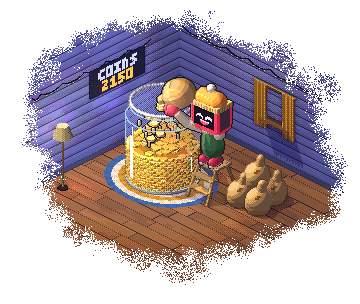
How the coin jar overlay works
A panel ranks your top gifters (top 3, 5 or 10), the total shows how many coins are in the jar, and you can set a coin target (1,000 by default) that raises itself each time it is reached. 11 themes: Classic Glass, Neon Wireframe, Pixel Art, Treasure Chest, Witch's Cauldron, Fish Tank, Piggy Bank, Snow Globe, Arcade Machine, Volcano Crater and Haunted Pumpkin.
11 TikTok Coin Jar themes
Animated gift collection with physics and leaderboards. Every theme is yours to recolour. Previews of 10 are below; all 11 are in the dashboard.
Classic Glass
Clear mason jar with glass reflections
Neon Wireframe
Glowing neon edge lines, Tron-style
Pixel Art
8-bit pixel potion bottle
Treasure Chest
Open pirate chest with gold trim
Witch's Cauldron
Bubbling potion with smoke effects
Fish Tank
Aquarium with water waves and bubbles
Piggy Bank
Cute pink piggy that gobbles up coins — jumps with joy when full
Snow Globe
Glass dome with snow particles
Arcade Machine
Retro gachapon with plinko pegs
Volcano Crater
Rocky volcano with glowing lava
New to this? Read our guide to TikTok Gift Overlay.
What the coin jar overlay does
Real Physics Per Gift
Every gift drops into the jar with physics: it bounces, settles and stacks, so the jar fills up as the stream goes on.
Top Gifters and a Running Total
A panel ranks your top gifters (top 3, 5 or 10), and the total shows how many coins are in the jar.
Coin Target
Set a coin target (1,000 by default) and let it raise itself each time the jar reaches it.
11 Container Themes
From a fish tank and a snow globe to a treasure chest, a witch's cauldron and a volcano crater.
Who uses the coin jar overlay
- Cozy, long-form streams using the jar as ambient stream art
- Saving-up streams that show the coin total filling toward a target
- Themed streams (pirate, witch, winter, arcade) matching the jar to the vibe
- Streams that want a top-gifter panel without a full leaderboard
How to add the coin jar overlay
Pick your theme
Browse 11 coin jar themes and choose the one that matches your stream.
Copy your link
Log in and copy your overlay's link from the BetterTok dashboard. Change the colours and settings there whenever you like.
Paste it and go LIVE
Add the link as a Browser Source in OBS, Streamlabs or TikTok LIVE Studio, then start streaming.
Coin Jar overlay: FAQ
How does the TikTok Coin Jar overlay work?
When a viewer sends a TikTok gift during your LIVE, the gift drops into the jar and settles on top of the gifts before it. Over the stream the jar fills up, the total climbs, and the top-gifter panel shows who has put the most in.
Which Coin Jar theme should I pick?
Classic Glass for a clean look; Treasure Chest for fantasy streams; Witch's Cauldron for spooky streams; Fish Tank for cozy streams; Snow Globe for winter and holiday streams; Volcano Crater for hype streams; Piggy Bank for saving-up goals; Arcade Machine or Pixel Art for gaming streams; Neon Wireframe for late-night streams.
Does the jar reset between streams?
By default, yes: the jar empties when you start a new stream. Turn the reset off to keep filling the same jar across streams.
Can I count only some gifts?
Yes. Gift filters let you choose which gifts drop into the jar.
Is the Coin Jar overlay free?
To copy a Coin Jar's link you need the Creator plan ($9.99/month), which unlocks all 11 themes.
Goes well with these overlays
Gift Challenges
Set gift targets your viewers race to fill — one big challenge, a bar of several, or a rotating card — 23 themes. 23 themes.
Gift Overlays
Top gifter and gift streak cards — show who is leading and how hot the streak is — 11 themes each. 12 themes.
Live Auction
Compete for the top spot with real-time leaderboards. 14 themes.
Leaderboards
Display top gifters, likers, and point earners. 25 themes.
Put it on your next LIVE
Pick a theme, copy one link, paste it into your streaming app. No coding and no downloads.