TikTok Last Gifter Overlay
Thank Every Gifter with a Personal Alert Card
The Last Gifter overlay shows your most recent TikTok gifter in a themed thank-you card on stream. When someone sends a gift, the overlay animates their name and picture and, in many themes, the gift they sent.
13 themes OBS & LIVE Studio Free to start Joined by 40,000+ creators
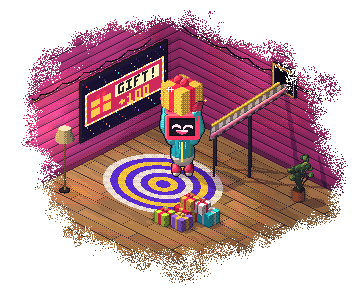
How the last gifter overlay works
There are 13 themes, from playful (Arcade Combo, Heart Burst, Rose Bloom) to luxurious (Royal Crown, VIP All-Access Pass, Diamond Vault, Gift Box) to dramatic (Coin Rain, Starlight Wish, Treasure Chest). Pair it with Actions & Events to play sounds, read a thank-you aloud or switch scenes alongside the card.
13 TikTok Last Gifter themes
Thank your most recent gifter with a personalized alert — 13 themes. Every theme is yours to recolour.
Arcade Combo
Fighting-game style 'COMBO!' callout
Coin Rain
Showering gold coins behind the gifter
Diamond Vault
Vault doors swing open to reveal the gifter
Gift Box
Animated gift box that pops open
Heart Burst
Heart particles burst around the username
Classic Overlay
Clean default gifter alert
Ribbon Banner
Unfurling ribbon banner
Rose Bloom
Rose petals bloom around the username
Royal Crown
Floating crown descends onto the gifter
Starlight
Stars trace the gifter's name
Thank You
Handwritten thank-you note style
Treasure Chest
Pirate treasure chest unlocks
VIP Pass
All-access VIP-pass card
New to this? Read our guide to TikTok Gift Overlay.
What the last gifter overlay does
13 Themes for Every Gift Vibe
Royal Crown for VIP-feeling thanks; Coin Rain for hype; Heart Burst and Rose Bloom for cozy, personal thanks; VIP All-Access Pass for an exclusive feel; Treasure Chest for fantasy streams; Arcade Combo for gaming streams; Diamond Vault for a luxury look.
Name, Picture and Gift
Each card shows who sent the gift and their profile picture, and many themes name the gift too, so the thanks is specific.
Pairs with Sound + TTS Thanks
Wire to BetterTok's Actions & Events engine for layered thanks: visual alert + a celebration sound + TTS reading 'Thank you [name] for the [gift]!' Combined effect lands much harder than visual alone.
Real-Time Alert
The card appears on stream as soon as the gift comes in.
Who uses the last gifter overlay
- Streams where every gifter gets a personalized public thank-you
- VIP-feeling streams using Royal Crown / VIP All-Access Pass to elevate big gifters
- Cozy streams using Heart Burst / Rose Bloom for warm personal thanks
- Fantasy / luxury / gaming streams matching the alert to the stream theme
How to add the last gifter overlay
Pick your theme
Browse 13 last gifter themes and choose the one that matches your stream.
Copy your link
Log in and copy your overlay's link from the BetterTok dashboard. Change the colours and settings there whenever you like.
Paste it and go LIVE
Add the link as a Browser Source in OBS, Streamlabs or TikTok LIVE Studio, then start streaming.
Last Gifter overlay: FAQ
What is a TikTok Last Gifter overlay?
A thank-you card that shows your most recent TikTok gifter on stream: their name and picture, often the gift they sent, and a themed animation such as coin rain, a royal crown or a treasure chest opening. BetterTok has 13 Last Gifter themes.
Which Last Gifter theme should I pick?
Coin Rain and Royal Crown read clearly on busy streams. VIP All-Access Pass suits creators who treat big gifters as VIPs. Heart Burst, Rose Bloom and Thank You Note suit cozy streams. Diamond Vault and Treasure Chest fit fantasy or luxury looks, and Arcade Combo and Starlight Wish suit gaming streams.
Can I pair the alert with a TTS thank-you message?
Yes. Wire the 'Gift' trigger in BetterTok's Actions & Events engine to fire TTS alongside the visual alert. Common template: 'Thank you [username] for the [gift name]!' The TTS reads the personalized thanks out loud while the visual card animates on screen.
What if multiple gifts arrive at once?
The card on screen finishes first, then the most recent gifter is shown, so cards never stack. Gifters in between don't get their own card; add a gift feed if you want every gift listed.
Is the Last Gifter overlay free?
Yes. The Classic theme is on the free plan, with no watermark and no credit card. The Creator plan ($9.99 a month) unlocks the other 12 themes.
Goes well with these overlays
Last Follower
Recognize your most recent follower with a custom alert card — 20 themes. 20 themes.
Gift Challenges
Set gift targets your viewers race to fill — one big challenge, a bar of several, or a rotating card — 23 themes. 23 themes.
Gift Overlays
Top gifter and gift streak cards — show who is leading and how hot the streak is — 11 themes each. 12 themes.
Top Gifter Entrance
VIP entrance animation when a viewer with a high TikTok gifter level joins your LIVE — 10 themes. 10 themes.
Put it on your next LIVE
Pick a theme, copy one link, paste it into your streaming app. No coding and no downloads.